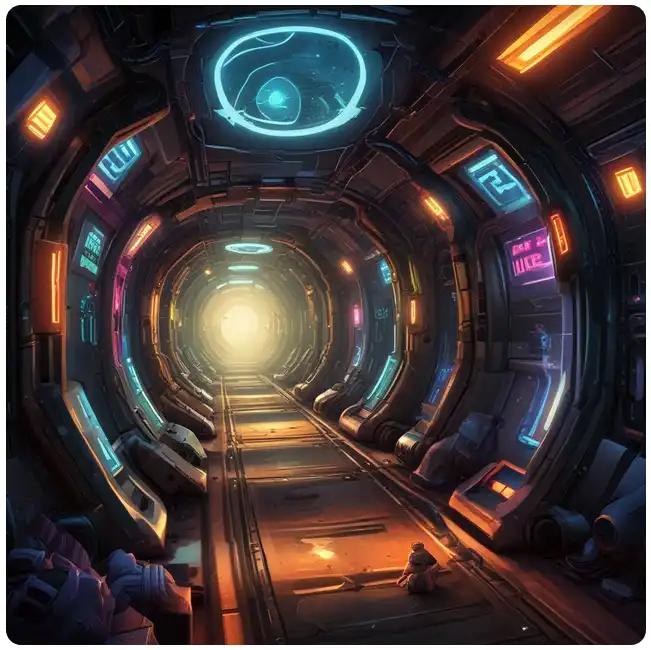

Floating through space while running on walls might sound like a dream—or maybe something from a sci-fi movie—but Run 3 turns this wild idea into a highly addictive browser game. With its simple controls and surprisingly deep gameplay, this endless runner has remained a favorite for years, and in 2026, it’s still capturing attention from players who love fast reflex challenges and clever level design.
How to Start Playing Run 3

Opening the official website https://run3.io instantly drops you into a mysterious tunnel floating in space. There’s no long setup, no downloads, and no waiting. Just press play and start running.
Controlling your character is incredibly straightforward. Use the arrow keys or WASD to move left or right, and jump across gaps. Sounds easy? Not quite. The twist comes from the ability to rotate the tunnel, allowing you to run on walls and even upside down.
Choosing between Explore Mode and Infinite Mode adds variety. Explore Mode offers structured levels with increasing difficulty, while Infinite Mode throws you into a never-ending challenge where survival becomes the main goal.
Funny thought: At some point, you’ll question gravity itself. “Why am I running sideways?” Welcome to Run 3 logic.
Fun, Interesting, and Amazing Tips for Run 3
- Rotate the tunnel smartly – Instead of jumping blindly, rotate the world to create safer paths. This is the core mechanic that separates beginners from experienced players.
- Control your speed mentally – Even though the character runs automatically, pacing your movements helps avoid mistakes. Panic is your biggest enemy.
- Learn level patterns – Each section has its own structure. Recognizing these patterns helps you predict obstacles ahead.
- Use small movements – Overcorrecting direction often leads to falling into space. Subtle adjustments work better than dramatic turns.
- Stay calm under pressure – When the tunnel starts breaking apart, staying focused is more important than reacting quickly.
Fun fact: Many players fail not because levels are hard, but because they rush. Run 3 secretly teaches patience… in a very chaotic way.
Bugs, Quirks, and Things to Watch Out For
Despite being smooth and optimized, Run 3 occasionally shows small quirks:
- Camera glitches: Rarely, the camera angle may shift suddenly, making orientation confusing.
- Delayed input: On slower devices, jumps might feel slightly delayed.
- Edge clipping: Sometimes the character appears to slip near edges unexpectedly.
Insider joke: If you fall into space, just imagine your character taking a “zero-gravity vacation.”
Run 3 Gameplay Strategies
Mastering Run 3 requires more than quick reflexes—it demands awareness and planning.
- Think ahead constantly: Focus on upcoming tiles rather than your current position.
- Use walls creatively: Rotating the tunnel opens new paths and avoids broken sections.
- Memorize tricky levels: Repeating difficult stages improves performance significantly.
- Stay centered: Keeping your character near the middle reduces sudden falls.
- Adapt to speed changes: Later levels increase intensity, requiring sharper reactions.
Why Run 3 is Still Popular in 2026
Run 3 continues to attract players for several reasons:
- Simple controls: Easy to learn, hard to master.
- Unique gravity mechanics: Running on walls creates a fresh gameplay experience.
- No downloads required: Instant access via browser.
- Endless replayability: Infinite mode keeps players coming back.
- Lightweight performance: Works on almost any device.
10 Most Frequently Asked Questions About Run 3
- Can I play Run 3 on mobile?
Yes! Many versions are optimized for mobile browsers and apps, allowing smooth gameplay on smartphones and tablets. - Is Run 3 free?
Completely free to play, making it accessible for everyone without subscriptions or purchases. - Do I need to download anything?
No downloads required. It runs directly in your browser. - What is the goal of Run 3?
The objective is to navigate tunnels, avoid falling, and progress through increasingly difficult levels. - What’s the difference between Explore and Infinite mode?
Explore mode offers structured levels, while Infinite mode focuses on endless survival. - Why do I keep falling?
Most falls happen due to rushing or overcorrecting movement. Slower, controlled actions improve success. - Are there characters to unlock?
Yes! Different characters offer unique abilities that change gameplay strategies. - Does Run 3 have levels or is it endless?
Both. Explore mode has levels, while Infinite mode is endless. - Is Run 3 suitable for beginners?
Absolutely. The simple controls make it easy to start, though mastering it takes practice. - Why is Run 3 still popular in 2026?
Its combination of creativity, simplicity, and challenge keeps it engaging for both new and returning players.
Exciting Features and 2026 Updates
Recent updates have enhanced the Run 3 experience:
- Improved performance: Smoother gameplay across devices.
- New levels: Additional challenges in Explore Mode.
- Character improvements: Better balancing of abilities.
- Optimized controls: More responsive movement and jumps.
Fun observation: Some levels feel like puzzles disguised as running games—you’re not just reacting, you’re thinking ahead constantly.
Run 3 Tips for Maximum Fun
- Play in short sessions: Keeps your focus sharp and prevents frustration.
- Experiment with characters: Each one changes how you approach levels.
- Turn off distractions: Focus improves reaction time significantly.
- Replay difficult levels: Practice builds confidence.
- Enjoy the process: Falling is part of the fun (even if it doesn’t feel like it).
Run 3 isn’t just another endless runner—it’s a creative challenge that bends your perception of movement and gravity. Each level introduces new surprises, requiring both reflexes and strategy. Players who embrace its unique mechanics discover a game that is both relaxing and intense at the same time.
Pro tip: The moment you stop panicking and start thinking ahead is the moment Run 3 becomes incredibly fun instead of frustrating.